Bitcoin Miner S19e XP Hyd Remote Monitoring Setup Guide
Cryptocurrency mining has evolved significantly over the years, with advancements in hardware and software enabling miners to optimize their operations for maximum efficiency and profitability. One such innovation is the Bitcoin Miner S19e XP Hyd, a state-of-the-art ASIC miner from Antminer that combines cutting-edge liquid cooling technology with unparalleled performance. However, to fully harness the potential of this powerful machine, it’s essential to set up an effective remote monitoring system. This guide will walk you through the process, ensuring you can manage and monitor your S19e XP Hyd with ease, no matter where you are.
Introduction to the Bitcoin Miner S19e XP Hyd
Before diving into the setup process, it’s important to understand what makes the S19e XP Hyd a game-changer in the mining industry. This miner boasts a typical hashrate of 251 TH/s, making it one of the most powerful ASIC miners on the market. It’s specifically designed for mining SHA256 algorithm-based cryptocurrencies like Bitcoin (BTC), Bitcoin Cash (BCH), and Bitcoin SV (BSV).
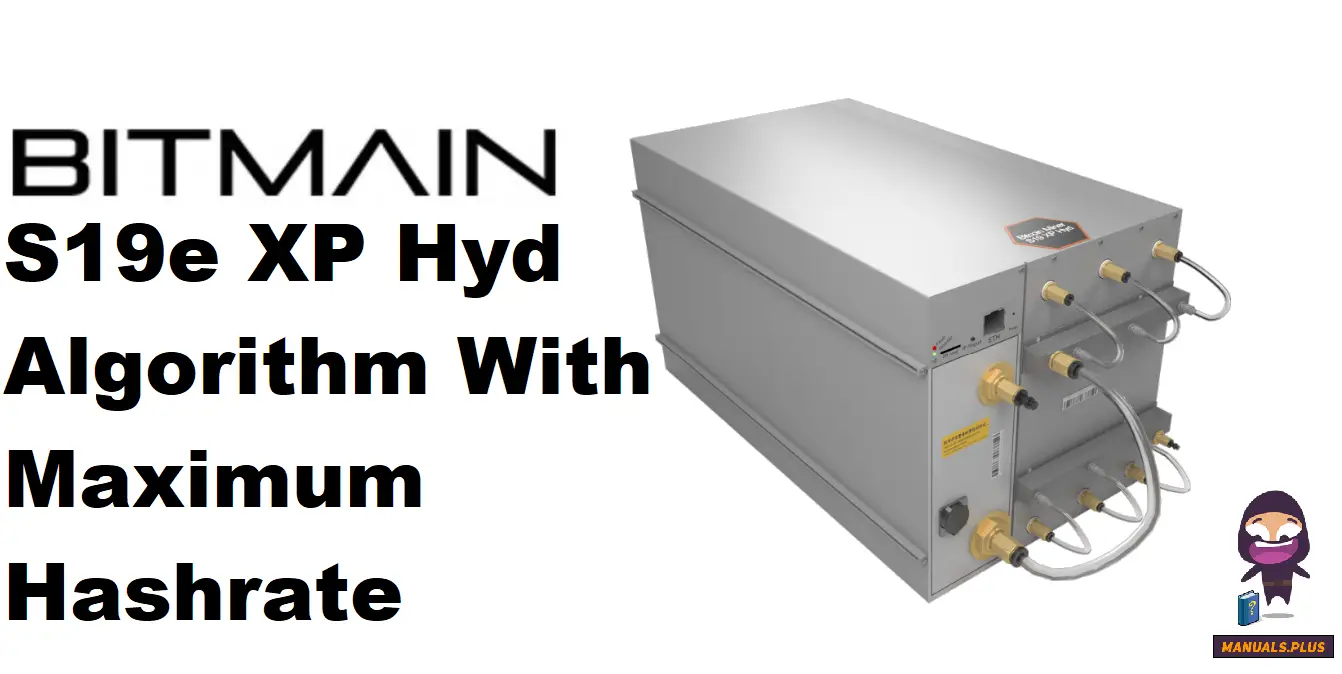
What truly sets the S19e XP Hyd apart is its revolutionary liquid cooling system. Unlike traditional air-cooled miners, which can be noisy and prone to overheating, this miner uses a closed-loop cooling system with a coolant temperature range of 20~50°C. This not only ensures optimal operating temperatures but also significantly reduces noise levels, making it suitable for a variety of environments—from large-scale mining farms to smaller, home-based setups.
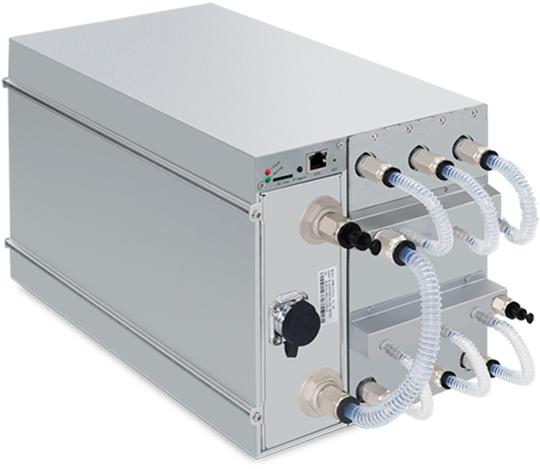
In addition to its impressive performance, the S19e XP Hyd is remarkably energy-efficient, with a power efficiency of 22 J/TH at 35°C. This translates to lower energy costs and higher profitability for miners. The miner operates on a 3-phase power supply with an input voltage range of 380~415 Volts, ensuring compatibility with electrical infrastructures worldwide.
The compact design of the S19e XP Hyd (410*170*209 mm) allows for efficient space utilization, while its RJ45 Ethernet 10/100M port enables seamless connectivity to your network for remote management and monitoring.
Why Remote Monitoring is Essential for Mining Operations
Remote monitoring has become a cornerstone of modern cryptocurrency mining. For miners operating multiple machines or running large-scale operations, being able to monitor and manage equipment from a distance is crucial. Here’s why:
- Real-Time Performance Tracking: Remote monitoring allows you to track the hashrate, temperature, and power consumption of your S19e XP Hyd in real time. This helps you identify and address issues before they escalate, minimizing downtime.
- Enhanced Efficiency: By monitoring your miner’s performance remotely, you can optimize settings to maximize efficiency and profitability. For example, you can adjust fan speeds or power usage based on real-time data.
- Convenience: Remote monitoring eliminates the need for physical checks, saving you time and effort. Whether you’re at home, in the office, or on the go, you can keep an eye on your mining operation with just a few clicks.
- Security: With remote monitoring, you can receive instant alerts if something goes wrong, such as a sudden drop in hashrate or a spike in temperature. This allows you to take immediate action to protect your investment.
- Data-Driven Decisions: Remote monitoring provides valuable insights into your mining operation, helping you make informed decisions about scaling, upgrades, and maintenance.
Setting Up Remote Monitoring for the S19e XP Hyd
Now that you understand the importance of remote monitoring, let’s dive into the setup process. The S19e XP Hyd is designed to integrate seamlessly with remote monitoring platforms, making the process straightforward even for those new to mining.
#### Step 1: Connect the Miner to Your Network
The first step is to connect your S19e XP Hyd to your local network. Here’s how:
- Power Up the Miner: Ensure the miner is connected to a stable 3-phase power supply with the correct voltage range (380~415 Volts).
- Connect to Ethernet: Use an Ethernet cable to connect the miner’s RJ45 port to your router or switch. This establishes a network connection, enabling remote access.
- Check Network Connectivity: Verify that the miner is connected to the internet by checking the network status on the miner’s control panel or via the IP address assigned to the device.
#### Step 2: Access the Miner’s Web Interface
Once the miner is connected to the network, you can access its web interface to configure settings and enable remote monitoring.
- Find the Miner’s IP Address: Use a network scanning tool or check your router’s connected devices list to find the IP address assigned to the S19e XP Hyd.
- Log In to the Web Interface: Open a web browser and enter the miner’s IP address in the address bar. Log in using the default credentials (usually “root” for both username and password). For security reasons, change the password after your first login.
- Configure Network Settings: Ensure the miner has a static IP address to prevent connectivity issues. You can configure this in the network settings section of the web interface.
#### Step 3: Set Up Remote Monitoring Software
To monitor your S19e XP Hyd remotely, you’ll need to use compatible software. Popular options include Antminer’s own monitoring tools, Minerstat, and Hive OS. Here’s how to set up these platforms:

- Antminer Monitoring Tool: If you prefer using Antminer’s built-in tool, navigate to the “System” tab in the web interface and enable remote monitoring. You can then access the miner’s dashboard from any device.
- Minerstat: To use Minerstat, create an account on their website and add your S19e XP Hyd to your dashboard. Enter the miner’s IP address and API key (found in the web interface) to link the devices.
- Hive OS: For Hive OS, download the Hive OS image and flash it onto a USB drive. Insert the drive into the S19e XP Hyd and follow the on-screen instructions to set up the miner in your Hive OS farm.
#### Step 4: Monitor and Optimize Performance
With remote monitoring set up, you can now track your S19e XP Hyd’s performance and make adjustments as needed. Key metrics to monitor include:
- Hashrate: Ensure the miner is consistently achieving its rated hashrate of 251 TH/s.
- Temperature: Keep an eye on the coolant temperature to ensure it stays within the optimal range of 20~50°C.
- Power Consumption: Monitor energy usage to maximize efficiency and minimize costs.
- Uptime: Track how long the miner has been running without interruptions.
Practical Tips for Maximizing Efficiency
To get the most out of your S19e XP Hyd, consider the following tips:
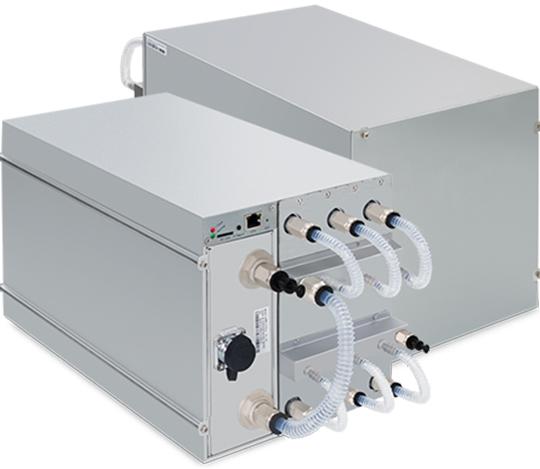
- Regular Maintenance: Clean the miner’s cooling system periodically to prevent dust buildup and maintain optimal performance.
- Firmware Updates: Keep the miner’s firmware up to date to benefit from the latest optimizations and features.
- Environmental Control: Ensure the mining environment is well-ventilated and free from excessive heat or humidity.
- Power Management: Use a reliable power supply and surge protector to safeguard your miner against electrical fluctuations.
Conclusion
The Bitcoin Miner S19e XP Hyd represents the pinnacle of cryptocurrency mining technology, combining unmatched performance with innovative liquid cooling and exceptional energy efficiency. By setting up a robust remote monitoring system, you can take full advantage of this powerful miner, ensuring your operation runs smoothly and profitably. Whether you’re a seasoned miner or just starting, the S19e XP Hyd and its remote monitoring capabilities provide the tools you need to succeed in the competitive world of cryptocurrency mining.
Elevate your mining operation today with the S19e XP Hyd and experience the future of mining efficiency!