How to Set Up Antminer S21+ for Bitcoin Mining
The Antminer S21+ is a game-changer in the world of Bitcoin mining, offering unparalleled performance and efficiency. Whether you’re a seasoned mining operator or a newcomer to the cryptocurrency space, setting up the Antminer S21+ correctly is crucial for maximizing its potential. In this comprehensive guide, we’ll walk you through the entire process, from unboxing to optimization, ensuring you get the most out of this cutting-edge mining hardware.
Introduction to the Antminer S21+
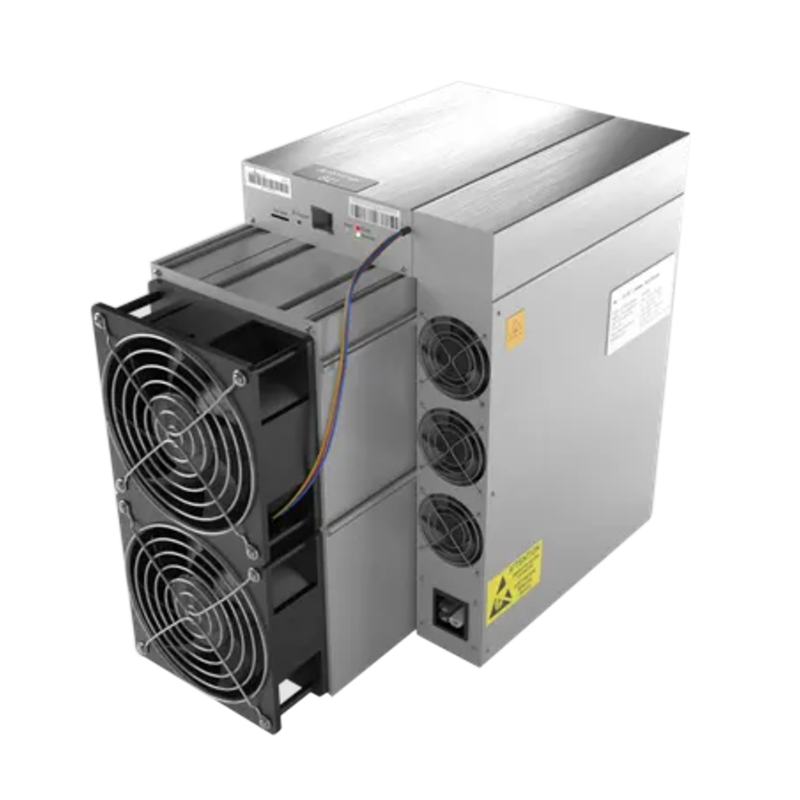
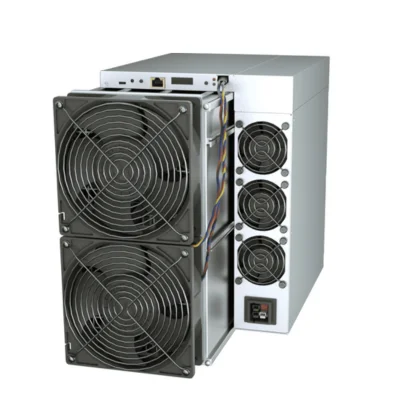
The Antminer S21+ is Bitmain’s latest flagship model, designed specifically for SHA256 algorithm mining. It boasts an impressive 216 TH/s hashrate, making it one of the most powerful miners on the market today. Its compact dimensions (400 x 195 x 290mm) make it suitable for both large-scale mining farms and home setups, while its advanced cooling system ensures reliable operation even in challenging environments.
Key Specifications
- Hashrate: 216 TH/s
- Power Consumption: Optimized for industrial-grade efficiency
- Cooling: Quad-fan system
- Operating Temperature: 0-45°C
- Humidity Tolerance: 10-90%
- Power Supply: 380-415V
- Connectivity: Ethernet interface
- Warranty: 365 days
Unboxing and Initial Setup
Step 1: Unboxing Your Antminer S21+
When your Antminer S21+ arrives, the first step is to carefully unbox it. Ensure that all components are present and undamaged. The package should include:
- The Antminer S21+ unit
- Power cables
- Ethernet cable
- User manual
Step 2: Preparing Your Mining Environment
Before powering up your Antminer S21+, it’s essential to prepare your mining environment. Consider the following factors:
- Ventilation: Ensure adequate airflow to prevent overheating. The quad-fan cooling system is efficient, but good ventilation will enhance its performance.
- Power Supply: The S21+ operates on a 380-415V power supply. Ensure your electrical setup can handle this requirement.
- Network Connectivity: A stable internet connection is crucial for mining operations. Use the provided Ethernet cable for reliable connectivity.
Step 3: Connecting the Power Supply
Connect the power cables to the Antminer S21+ and your power source. Ensure all connections are secure to avoid any electrical issues. Once connected, you can proceed to power up the unit.
Step 4: Network Configuration
Connect the Ethernet cable to the Antminer S21+ and your router. The S21+ will automatically obtain an IP address via DHCP. You can access the miner’s interface by entering this IP address into your web browser.
Configuring Your Antminer S21+
Step 1: Accessing the Miner’s Interface
Once connected to the network, access the miner’s interface by entering its IP address into your web browser. You’ll be greeted with a login screen. The default username and password are usually “root” and “root”, but refer to the user manual for any changes.
Step 2: Setting Up Mining Pools
To start mining, you’ll need to configure mining pools. Navigate to the “Miner Configuration” section in the interface. Here, you can add your mining pool details, including:
- URL: The mining pool’s address
- Worker: Your mining pool account
- Password: Your mining pool password
You can add multiple pools for redundancy. The miner will automatically switch to the next pool if the primary one fails.
Step 3: Optimizing Performance
To maximize your mining efficiency, consider the following optimizations:
- Frequency Settings: Adjust the frequency settings to balance hash rate and power consumption. Higher frequencies yield higher hash rates but consume more power.
- Fan Speed: Monitor and adjust fan speeds to maintain optimal operating temperatures. The quad-fan system is designed to keep the unit cool, but adjustments may be necessary based on your environment.
Step 4: Monitoring and Maintenance
Once your Antminer S21+ is up and running, regular monitoring and maintenance are essential. Use the miner’s interface to track performance metrics such as hash rate, temperature, and power consumption. Bitmain provides comprehensive support and maintenance guides to help you keep your miner in top condition.
Advantages of the Antminer S21+
Premium Performance Guarantee
The Antminer S21+ comes with a 365-day warranty, ensuring your investment is protected. Bitmain’s commitment to quality and reliability means you can mine with confidence, knowing that support is just a call away.
Advanced Mining Capabilities
Optimized for the SHA256 algorithm, the S21+ delivers 216 TH/s of hash power, making it one of the most efficient miners available. Whether you’re mining Bitcoin (BTC) or Bitcoin Cash (BCH), the S21+ offers unparalleled performance.
Superior Serviceability
The modular design of the Antminer S21+ makes maintenance straightforward. With an extensive global network of spare parts and professional service support, you can ensure your miner remains operational with minimal downtime.
Global Logistics Solutions
Bitmain offers comprehensive shipping options, including DHL, UPS, and DDP services. This ensures reliable delivery worldwide, with optimized routes and customs handling for efficient deployment.
Thermal Efficiency
The advanced quad-fan cooling system maintains optimal operating temperatures while keeping noise levels controlled. This allows for deployment in various environmental conditions, ensuring consistent performance.
ROI Optimization
The Antminer S21+ combines competitive power efficiency with high hash rate delivery, optimizing your return on investment. This is particularly beneficial for industrial mining operations leveraging economies of scale.
Conclusion
Setting up the Antminer S21+ for Bitcoin mining is a straightforward process that can yield significant rewards. By following this guide, you can ensure your miner operates at peak efficiency, maximizing your mining potential. With its advanced features, robust construction, and comprehensive support, the Antminer S21+ is an excellent choice for both novice and experienced miners alike. Happy mining!